- Pagina iniziale /
- Libri /
- Computer e tecnologia /
- Programming /
- Microsoft Programming /
- VBA /
- Mastering Excel VBA Programming: A Hands-On G...
0 ratings


Articolo #:
117098142
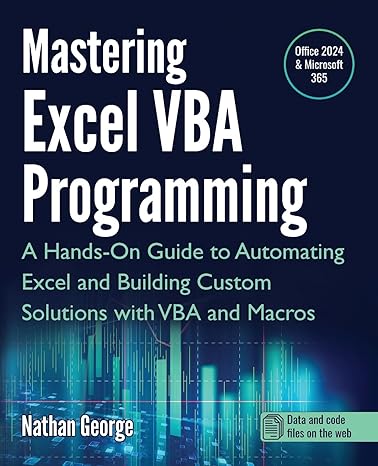
Mastering Excel VBA Programming: A Hands-On Guide to Automating Excel and Building Custom Solutions with VBA and Macros
85% degli intervistati lo consiglierebbe a un amico
Articolo #:
117098142
€ 39
Dettagli del prezzo
Escluse spese di spedizione e doganali ( Le spese di spedizione e doganali saranno calcolate al momento del pagamento )
*Tutti gli articoli verranno importati da Stati Uniti
0 ratings
Scrivi una recensione
Disponibile
 Importato dal negozio USA
Qtà:
Ordina subito e ricevilo entro Sunday, Settembre 27
Transazione sicura
Ubuy works hard to protect your security and privacy. Our advanced payment security system ensures confidentiality by encrypting your information during transmission using AES (Advanced Encryption Standards) and SSL (Secure Socket Layer) protocols. Your payment details are 100% secure as we do not share your payment details with third party sellers.
I nostri principali partner logistici


This book will teach you how to use the power of VBA to create sophisticated Excel solutions in a step-by-step approach.

Consegna
veloce

Reso
gratuito*

Imballaggio sicuro

Prodotti originali al 100%

Conformità PCI DSS

Certificazione ISO 27001



Note: Step Down Voltage Transformer required for using electronics products of Stati Uniti store (110-120). Recommended power converters Acquista ora.


Cosa salta all'occhio
Practical Application
Offers hands-on projects that enable users to immediately apply learned VBA concepts to real-world scenarios, enhancing both understanding and retention of material.
Comprehensive Coverage
Covers everything from basic to advanced VBA techniques, providing a thorough resource that caters to both beginners and experienced users seeking to deepen their Excel automation skills.
Custom Solutions
Guides users in creating tailored Excel solutions, empowering them to save time and improve efficiency by automating repetitive tasks seamlessly with VBA and macros.
Dettagli del prodotto
| Publisher | GTech Publishing |
| Publication date | February 4, 2025 |
| Language | English |
| Print length | 505 pages |
| ISBN-10 | 1915476143 |
| ISBN-13 | 978-1915476142 |
| Item Weight | 1.9 pounds (860 grams) |
| Dimensions | 7.5 x 1.14 x 9.25 inches (19.1 x 2.9 x 23.5 cm) |
A chi è consigliato?

-
Aspiring Programmers
Perfect for individuals looking to enhance their programming skills specifically in Excel using VBA and Macros.
-
Business Analysts
Ideal for analysts who need to automate repetitive tasks in Excel to improve efficiency and accuracy.
-
Excel Power Users
Beneficial for advanced Excel users wanting to customize solutions and streamline their workflows using VBA.

-
Beginners in Excel
Not suitable for users without basic Excel skills, as VBA requires foundational knowledge of Excel functionalities.
DESCRIZIONE DEL PRODOTTO
Mastering Excel VBA Programming: A Hands-On Guide to Automating Excel and Building Custom Solutions with VBA and Macros
Hai qualche domanda? chatta con noi
Domande e risposte dei clienti
-
Domanda:
What is Excel VBA Programming and why is it important?
Risposta: Excel VBA Programming involves using Visual Basic for Applications to automate tasks and create custom functionalities within Excel. It is essential for users who want to enhance their productivity by streamlining repetitive tasks, creating advanced data analysis tools, and developing customized applications tailored to their specific needs. Mastering VBA can significantly boost efficiency, allowing for complex data manipulation and user-specific automations. -
Domanda:
Who should consider learning VBA for Excel?
Risposta: Anyone who regularly uses Excel and wants to maximize its capabilities should consider learning VBA. This includes data analysts, financial professionals, project managers, and even casual users looking to automate their workflows. Learning VBA can transform how you interact with Excel, making processes more efficient and user-friendly. For example, a project manager can automate reporting processes, saving hours of manual work. -
Domanda:
Can beginners learn VBA programming effectively through this guide?
Risposta: Yes, 'Mastering Excel VBA Programming' is designed for both beginners and those with some programming knowledge. It includes hands-on exercises and practical examples that gradually build your skills. Beginners can start with basic concepts and progressively tackle more complex projects, making it accessible for anyone determined to enhance their Excel proficiency and automate processes. -
Domanda:
What specific topics are covered in this guide?
Risposta: The guide covers a variety of topics essential for mastering VBA, including the fundamentals of programming, automating repetitive tasks, building custom functions, and creating user forms. It also dives into advanced techniques such as error handling and debugging. Each section is complemented with examples and exercises, ensuring a practical understanding that can be applied to real-world scenarios in Excel. -
Domanda:
How can VBA enhance my Excel data analysis?
Risposta: VBA can significantly improve your data analysis capabilities by allowing you to automate calculations, create custom analytical tools, and visualize data more effectively. By scripting repetitive tasks, you can focus on interpreting results and making decisions rather than spending time on manual inputs. For instance, a financial analyst can automate report generation, ensuring data is always up-to-date without manual intervention. -
Domanda:
Are there any prerequisites for learning VBA?
Risposta: While there are no stringent prerequisites, a basic understanding of Excel and its functionalities is beneficial. Familiarity with concepts such as formulas, functions, and Excel’s interface will help you grasp VBA concepts more quickly. Having practical experience in Excel will make it easier to understand how VBA can complement your existing skills, enriching your overall proficiency. -
Domanda:
What are some practical applications of VBA in the workplace?
Risposta: VBA has numerous practical applications in various sectors. For instance, it can be used to automate report generation, create interactive dashboards, or set up data input forms for employee use. In finance, analysts can use VBA to automate spreadsheet calculations, while marketers might use it for managing and analyzing customer data, ultimately saving time and reducing errors in data entry. -
Domanda:
How does this guide help in building custom solutions?
Risposta: This guide provides step-by-step instructions and practical examples to help users design and implement custom solutions in Excel. By learning VBA, users can tailor functionalities to meet specific requirements, such as developing unique data-processing scripts or creating customized user interfaces. It empowers users to think creatively about how to apply Excel to resolve specific challenges in their work environments. -
Domanda:
Is it possible to discover new features in Excel through VBA?
Risposta: Absolutely! Learning VBA opens up a whole new realm of possibilities in Excel that goes beyond built-in functionalities. By understanding how to program within Excel, you can harness advanced features like creating dynamic charts, automating data sorting, and enhancing user interactivity. This leads to discovering innovative ways to present and analyze data, ultimately improving your results and presentations. -
Domanda:
Where can I buy Mastering Excel VBA Programming in San Marino?
Risposta: You can purchase 'Mastering Excel VBA Programming: A Hands-On Guide to Automating Excel and Building Custom Solutions with VBA and Macros' from Ubuy. Ubuy offers a convenient platform to explore and acquire this guide, ensuring a user-friendly shopping experience tailored to your location in San Marino.
VBA Editorial Review
Nessuna recensione editoriale trovata
Recensioni e valutazioni dei clienti
1 valutazioni dei clienti
-
5 stella
100%
-
4 stella
0%
-
3 stella
0%
-
2 stella
0%
-
1 stella
0%
Recensisci questo prodotto
Condividi le tue impressioni con altri clienti
Affidabilità della piattaforma e fiducia degli acquirenti

JK
Jasmin
Acquirente verificato
“Great products and very good service: very easy and very fast international delivery.”
9 September 2026 · via Trustpilot
AG
Anke
Acquirente verificato
“Wonderful online shopping experience, smooth transaction from the start. Payment method works conveniently and delivery is unexpectedly fast and reliable. You go the extra mile for service. What makes this even more amazing, you deliver to Namibia. I will remain a happy Ubuy customer and will increase my purchases for sure! Thank you!”
10 September 2026 · via Trustpilot
H
Hazel
Acquirente verificato
“Very easy to find the products what you need, and so fast delivery, that’s why I highly recommended to others costumers to used ubuy.”
10 September 2026 · via Trustpilot
O
Opaleye
Acquirente verificato
“I received exactly what I ordered I was skeptical about your site because that was my first time to order. But the order came timely and neatly packaged. I was not disappointed. Thank you.”
11 September 2026 · via Trustpilot
AC
Adele
Acquirente verificato
“Easy to find and order what you want on the website. Delivery is quick to the UK”
8 September 2026 · via Trustpilot
Pagamento sicuro
Consegna in tutto il mondo
Resi facili
Prodotti originali
Cronologia dei prezzi del prodotto
Informazioni importanti
- Limitazioni: per i prodotti spediti a livello internazionale, si prega di notare che ogni garanzia del produttore potrebbe non essere valida, le opzioni di assistenza del produttore potrebbero non essere disponibili, i manuali del prodotto, le istruzioni e gli avvisi di sicurezza potrebbero non essere nella lingua del paese di destinazione. I prodotti (e i materiali di accompagnamento) potrebbero non essere progettati in conformità con gli standard, le specifiche e i requisiti di etichettatura del paese di destinazione e i prodotti potrebbero non essere conformi alla tensione di rete del paese di destinazione e ad altri standard elettrici (richiedendo l'uso di un adattatore o di un trasformatore, se necessario). Il destinatario è responsabile di assicurare che il prodotto possa essere legalmente importato nel paese di destinazione. Quando si ordina da Ubuy o dai suoi affiliati, il destinatario è l'importatore registrato ed è tenuto a rispettare tutte le leggi e i regolamenti del paese di destinazione.
- Non tutti i prodotti elencati su Ubuy sono in vendita, poiché Ubuy è un motore di ricerca globale. I prodotti sono soggetti a regolamenti di esportazione/commercio.
€ 39
Ordina subito e ricevilo entro Sunday, Settembre 27
Questo articolo non è vietato nel mio Paese. (Se l'articolo non è vietato nel tuo Paese, fai clic sul link: il nostro team verificherà l'autorizzazione.)
Qtà:
Transazione sicura
Conforme allo standard PCI DSS e certificato ISO 27001:2022, con pagamenti crittografati e piena protezione dell'acquirente su ogni ordine.
I nostri principali partner logistici
Consegna transfrontaliera più rapida
Caratteristiche e benefici
- Master Excel with VBA and Macros, no programming experience required.
- Create faster, more effective spreadsheet solutions for your job or business.
- Learn real-world examples and practical applications for immediate use.
- Enhance career opportunities across various industries like finance and IT.
- Quickly automate repetitive tasks to save time and increase efficiency.
- Develop custom functions for complex calculations not possible with built-in features.
Garanzia Ubuy
Vivi un'esperienza di shopping senza pensieri con prodotti 100% originali, sicurezza dei pagamenti conforme allo standard PCI DSS, protezione dei dati certificata ISO 27001, la consegna internazionale più rapida, resi gratuiti, e imballaggio sicuro su ogni ordine.*